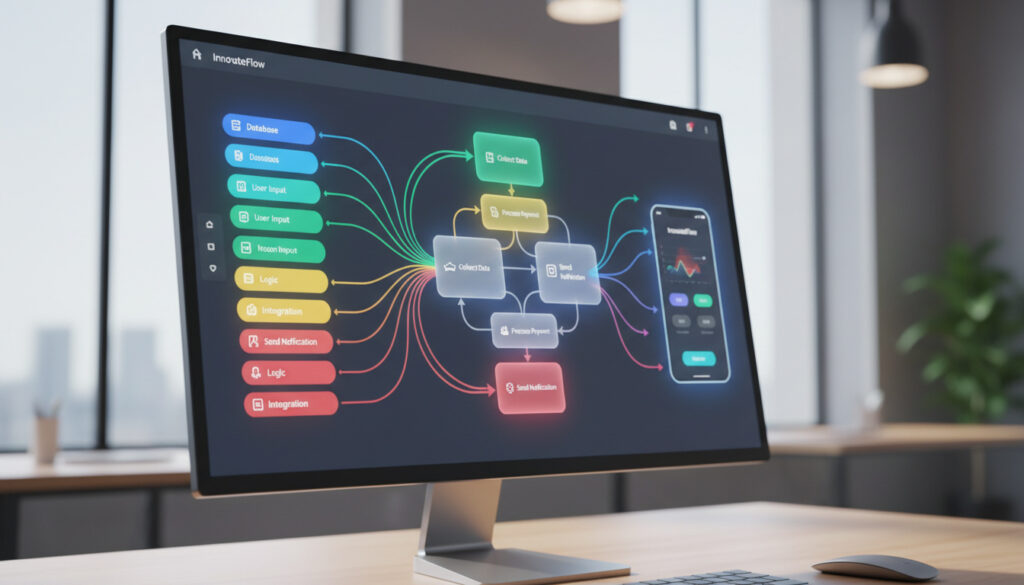
What Is a No-Code Platform – Guide to Features and Examples
No-code development represents a fundamental shift in how organizations create software. By removing the requirement to write programming syntax, these platforms enable non-technical professionals to build applications, automate workflows, and manage complex business processes through visual drag-and-drop interfaces.
The underlying philosophy positions domain experts—those closest to specific business problems—as the most qualified individuals to solve them. This approach eliminates traditional translation gaps between business units and IT departments, accelerating solution delivery while reducing dependency on specialized technical staff. Source
Modern enterprise-grade no-code platforms now support multi-level approval workflows, cross-department automation, customer-facing portals, real-time dashboards, and direct integrations with major enterprise systems including SAP, Salesforce, and Microsoft 365.
What Is a No-Code Platform?
Platforms enabling application building without coding knowledge through visual, drag-and-drop interfaces.
Visual editors, pre-built templates, workflow automation, and third-party integrations.
Bubble, Webflow, Budibase, Appsmith, ToolJet, and NocoBase.
50-90% faster development cycles, reduced costs, and accessibility for non-technical users.
Key developments driving adoption include:
- Development cycles reduced by 50-90% compared to traditional coding methods
- Applications created up to 10 times faster than conventional development approaches
- Empowerment of citizen developers to eliminate IT backlogs and department bottlenecks
- Projects that previously required months now completing in days or weeks
- Ideal execution for minimum viable products, internal tools, and workflow automation
- Addressing the projected 1.2 million developer shortage by 2026 in the United States
- Enabling millions of non-technical users to participate directly in software creation
| Aspect | Detail |
|---|---|
| Core Concept | Software development through visual interfaces without programming code |
| Operating Philosophy | Business users closest to problems are best positioned to solve them |
| Delivery Model | Platform as a Service (PaaS) cloud computing environment |
| Speed Advantage | 50-90% faster development cycles than traditional coding |
| Primary Users | Non-technical business users and citizen developers |
| Architecture | Serverless environments with auto-scaling capabilities |
| Key Limitation | Restricted to predefined platform features and capabilities |
| Integration Scope | Direct connections to SAP, Salesforce, and Microsoft 365 |
No-Code vs. Low-Code: Key Differences
Understanding the distinction between these approaches requires examining technical requirements, user profiles, and architectural capabilities. Source
Coding Requirements and Technical Barriers
No-code platforms require absolutely no programming knowledge, utilizing entirely visual interfaces where users connect elements through point-and-click interactions. Low-code alternatives demand minimal coding proficiency, typically involving simple formulas or scripts for specific functions. Traditional coding requires extensive programming expertise across multiple languages and frameworks.
Target Users and Accessibility
No-code solutions specifically target non-technical business users, often called citizen developers, who possess deep domain knowledge but lack formal programming training. Low-code platforms serve professional developers and technical business users who need rapid development with occasional custom code insertion. Traditional development remains the domain of specialized software engineers.
Both no-code and low-code approaches achieve 50-90% faster development cycles compared to traditional coding, though no-code offers greater accessibility while low-code provides enhanced flexibility for complex requirements. Source
Flexibility and Enterprise Integration
No-code platforms offer moderate flexibility constrained by built-in features and predefined templates, making them ideal for departmental tools and simple web applications. Low-code solutions provide high flexibility through custom code capabilities, better serving complex enterprise applications and core systems. Traditional coding delivers unlimited flexibility for any architectural requirement.
Scalability differs significantly between approaches. No-code platforms typically employ serverless architectures suitable for smaller projects, while low-code solutions better accommodate enterprise-level applications with sophisticated DevOps integration including Git, Jenkins, and Docker support. Source
Top No-Code Platforms and Examples
Bubble and Visual Programming
Bubble has established itself as a standout platform since its 2012 launch, enabling users to design everything from basic landing pages to complex business applications. The platform utilizes visual programming where users connect elements and define workflows through point-and-click interfaces, creating powerful solutions without traditional coding knowledge. Source
Comprehensive functionality allows users to manage three critical areas: visual interface design, backend database structuring, and workflow automation logic. Source
Open-Source and Enterprise Options
The ecosystem includes Webstudio, Budibase, Appsmith, ToolJet, NocoBase, Flowise, and NocoDB. Several of these platforms operate as open-source solutions, providing organizations with alternatives to proprietary models and reducing vendor dependency risks.
No-Code Platforms: Comprehensive 2025-2026 Guide provides additional analysis on platform selection criteria.
What Can You Build with No-Code Platforms?
Internal Tools and Workflow Automation
Organizations utilize no-code platforms to automate multi-level approval workflows, cross-department processes, and data management systems. These tools excel at creating internal applications that streamline operations without requiring IT department intervention.
Customer-Facing Applications
Development capabilities extend to customer portals, real-time dashboards, and service interfaces. Platforms support creation of drag-and-drop e-commerce websites with integrated AI recommendation engines for personalized shopping experiences.
Financial institutions deploy no-code solutions for loan approval automation, regulatory compliance checks, AI-driven fraud detection, customer onboarding chatbots, and identity verification systems. Source
Retailers currently use these platforms for e-commerce site construction, customer support chatbots, and automated marketing campaigns, though complex inventory management systems may require additional integration support. Source
Minimum Viable Products
No-code development proves particularly effective for rapid MVP creation, allowing businesses to validate concepts and market fit before committing to extensive development resources. This approach reduces time-to-market while maintaining the ability to iterate based on user feedback.
Evolution of No-Code Development
- : Bubble launches as a pure no-code application builder, establishing visual programming capabilities for non-technical users. Source
- : Enterprise-grade no-code platforms mature to handle complex multi-level approval workflows, cross-department automation, and direct enterprise system integrations. Source
- : Projected 1.2 million developer shortage in the United States accelerates no-code adoption as an essential business capability rather than optional tool. Source
Established Facts vs. Open Questions
| Established Information | Uncertain or Evolving Areas |
|---|---|
| No-code reduces development time by 50-90% compared to traditional coding | Long-term viability for high-traffic, enterprise-scale applications requiring complex custom backend logic |
| Platforms restrict users to predefined features and built-in capabilities | Specific vendor lock-in risks and data portability between competing platforms |
| Serverless architectures provide auto-scaling but limited performance tuning control | Precise timeline for AI integration to overcome current flexibility limitations |
| Security protocols match enterprise standards including OAuth 2.0 and SAML integration | Comprehensive pricing model standardization across the industry |
Why No-Code Matters Now
The convergence of a projected 1.2 million developer shortage by 2026 and increasing demand for digital transformation has positioned no-code development as essential infrastructure rather than supplementary tooling. Organizations face pressure to automate processes and deploy applications faster than traditional recruitment and development cycles allow.
Most modern platforms operate as Platform as a Service (PaaS) solutions, where vendors provide complete development and deployment environments over the internet. Users access these through standard browsers while providers manage underlying infrastructure including servers, databases, security protocols, and scaling mechanisms. Source
This democratization transforms technical barriers into creative opportunities, enabling domain experts to construct precise solutions without communication delays or translation errors between business requirements and technical implementation.
Research Foundation and Methodology
Analysis relies on technical documentation from established platform providers including Bubble, enterprise workflow studies from Kissflow and monday.com, and comparative architecture assessments from Lightning Ventures and Codewave. Security capabilities reference current implementations of serverless architectures utilizing AWS Lambda, Firebase, and proprietary cloud hosting environments with enterprise-grade protocols.
No-Code vs. Low-Code vs. Traditional Coding offers detailed technical comparisons for architecture decision-making.
Summary
No-code platforms provide visual development environments enabling non-technical users to build applications, automate workflows, and create customer-facing portals without programming knowledge. While offering significant advantages in speed, cost reduction, and accessibility, these tools present limitations in flexibility, scalability for complex enterprise systems, and DevOps integration. Organizations typically adopt no-code for MVPs, internal tools, and workflow automation, reserving low-code or traditional development for core systems requiring extensive customization.
Frequently Asked Questions
How do no-code platform pricing models typically work?
Most platforms operate on subscription-based models scaled by user count, data storage requirements, and API call volumes. Enterprise tiers add advanced security features, dedicated support, and increased computational resources.
What is the typical learning curve for no-code development?
Basic applications require days or weeks to master, compared to months or years for traditional programming. Complex workflows and database structuring demand additional time but remain significantly faster than coding alternatives.
Can no-code platforms handle complex backend logic?
Current platforms support multi-level approval workflows and cross-department automation, though highly complex custom backend logic may require low-code solutions or traditional development depending on specific architectural requirements.
How do no-code applications compare in security to custom-coded solutions?
Modern platforms leverage serverless architectures with enterprise-grade security protocols including OAuth 2.0 and SAML. However, organizations retain limited control over underlying security configurations compared to custom implementations.
When should organizations choose no-code over low-code?
Select no-code when speed, accessibility for non-technical users, and rapid deployment outweigh requirements for complex custom logic or extensive DevOps integration. Choose low-code when anticipating needs for custom code insertion or enterprise-scale architectural demands.
What limitations should beginners understand before starting?
Users face restrictions to built-in features, limited version control capabilities, and constrained performance optimization options. Platform migration remains challenging due to proprietary data structures and vendor-specific architectures.
More related posts
 Good Things Festival 2025 – Lineup, Dates, Tickets and Complete Guide
 Home and Away Cast – 2024 Full List and Key Changes
 Cheech and Chong – Guide to Biography Movies and More
 Tupac Shakur – Bio, Death and Lasting Legacy
 Kmart Castle Hill – Address, Hours, Phone & Directions
 Esplanade Hotel Fremantle – Location Reviews and Status Guide
 Chemist Warehouse Indooroopilly – Opening Hours, Phone Number & Address
 Los Angeles Lakers 2025-26 – Schedule, Tickets, Rumors and Predictions